Broadband Down? How to Get Temporary Internet in the UK
 Astaroam Team
In this article
Quick answer: If your broadband is down, you can use your phone's mobile data to get a laptop, tablet or other device online. Turn on your phone's personal hotspot and connect your device to it over Wi-Fi. If you don't have enough mobile data, a prepaid UK eSIM can provide an additional allowance without cancelling your existing phone contract, provided your phone is compatible and you have usable mobile coverage.
Whether your broadband has suddenly stopped working, you're waiting for an engineer or you've just moved into a property without internet, here's how to get connected while you wait.
1. Check whether your broadband is actually down
Before spending money on another connection, make sure the problem isn't something you can fix in a few minutes.
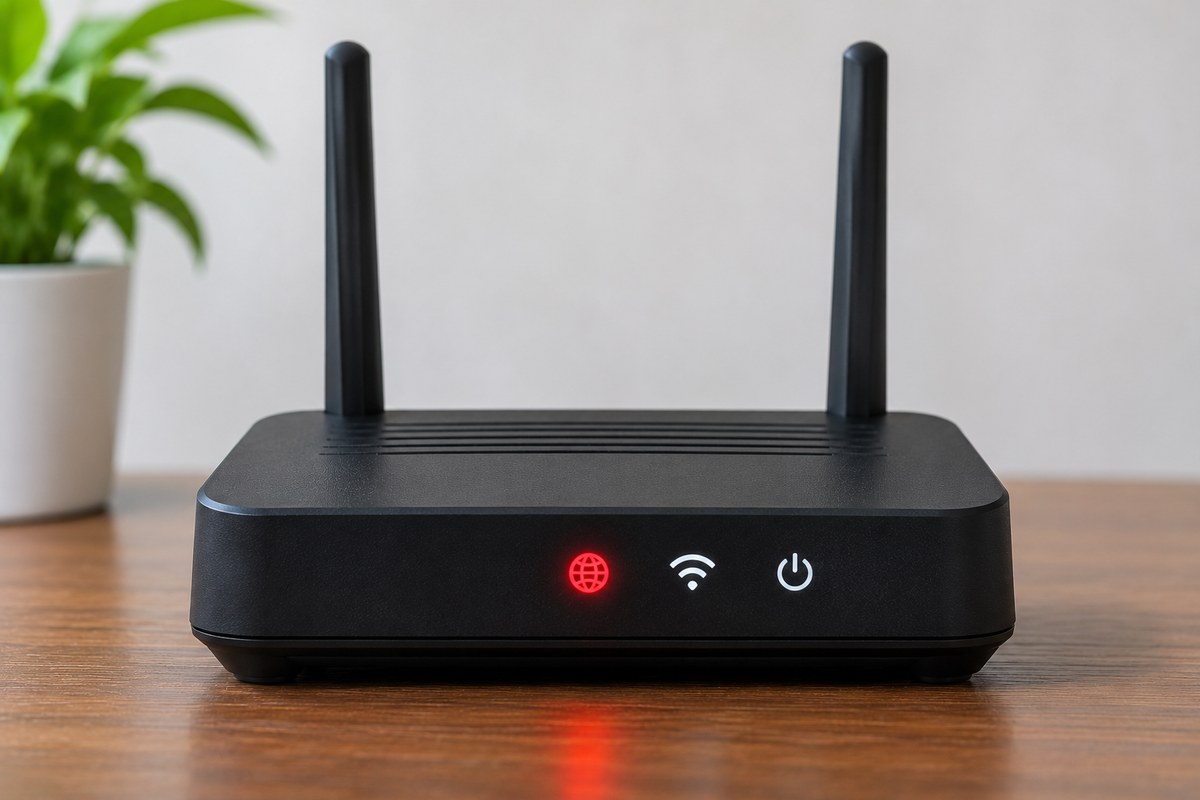
- Check whether the broadband router is powered on and its cables are connected.
- Restart the router. If you have full-fibre broadband with a separate fibre connection box (ONT), follow your provider's instructions for restarting that too.
- Try another device to see whether the problem affects your whole connection or just one laptop or phone.
- Check your broadband provider's service status page using mobile data.
- If there's no reported outage and the connection still isn't working, report the fault to your provider.
Ofcom recommends checking your equipment, looking for a wider service outage and contacting your broadband provider if the problem continues. You can read its broadband troubleshooting advice.
If your broadband won't be restored immediately, you can arrange temporary internet using your mobile phone.
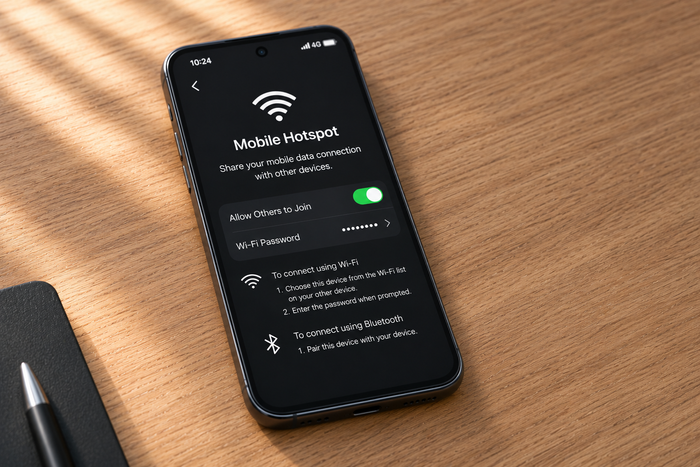
2. Use your phone as a temporary Wi-Fi hotspot
Your phone can share its mobile data connection with a laptop, tablet or another device. This is called a personal hotspot or tethering.
It works independently of your home broadband, using your mobile network instead. You don't need to purchase a separate broadband router for a short outage.
On an iPhone
- Open Settings.
- Go to Mobile Service or Mobile Data, depending on your iPhone and software version.
- Make sure mobile data is enabled and the correct SIM or eSIM is selected for data.
- Open Personal Hotspot.
- Enable Allow Others to Join.
- On your laptop, open the Wi-Fi list, select your iPhone and enter the hotspot password.
On a Samsung Galaxy phone
- Open Settings.
- Go to Connections.
- Tap Mobile Hotspot and Tethering.
- Enable Mobile Hotspot.
- Connect your laptop or tablet to the hotspot using the displayed Wi-Fi name and password.
On other Android phones, look for Hotspot & tethering or a similar option under network settings. The exact menus vary by device.
Tip: Test the internet connection on your phone using mobile data before enabling the hotspot. If the phone itself cannot connect, the hotspot won't provide internet either.
3. What if you don't have enough mobile data?
This is where a temporary data eSIM can be useful.
For example, imagine your broadband stops working on Monday and your provider cannot arrange a repair until Thursday. You need to work from home, answer emails and attend occasional video meetings, but your normal mobile contract has only a small amount of data remaining.
Instead of immediately buying an expensive data add-on from your existing mobile provider, you can compare it with a separate prepaid UK eSIM.
With a compatible, unlocked phone, you can install an Astaroam UK eSIM, select it for mobile data and use your phone's hotspot to share that connection with your laptop.
You can generally keep your existing SIM active for your normal number, calls and text messages on a phone that supports dual-SIM operation. The eSIM supplies the additional mobile data.
Important: Check the specific eSIM package's supported network, hotspot compatibility, data allowance and validity before purchasing. A second eSIM won't help if there is no usable mobile signal at your property.
4. How much data do you need while broadband is down?
That depends on what you're doing and how many devices are connected.
| How you'll use it | What to consider |
|---|---|
| Emails, messaging and basic browsing | Relatively light usage; a smaller allowance may be sufficient for a short outage. |
| Working from home | Video meetings, cloud applications and file transfers can increase consumption considerably. |
| Watching Netflix or YouTube | Streaming video can consume several GB over a few hours, particularly at higher resolutions. |
| Connecting several household devices | All connected devices share the same allowance, including background downloads and updates. |
As a starting point, 5–10GB may be enough for several days of lighter laptop use, while 20GB or more may be more suitable if you're working regularly or streaming video. These are planning examples, not guaranteed amounts.
For a more personalised estimate, try our free Data Usage Checker. Choose your trip length as the number of days you expect to need temporary internet, then adjust the activities to approximate your usage. Remember that laptop downloads, software updates and cloud backups may use additional data not fully represented by a travel-focused calculator.
5. Stop your laptop from using up the allowance
A laptop connected to a phone hotspot may behave as though it has a normal home broadband connection. That means background tasks can consume data without you noticing.
Before relying on mobile data:
- On Windows: Open Settings > Network & internet > Wi-Fi, select the connected network and enable Metered connection where available.
- Pause large downloads, game updates and unnecessary software installations.
- Temporarily pause cloud file syncing and automatic photo backups where appropriate.
- Lower video streaming quality and use audio-only meetings when possible.
- Disconnect devices that don't need internet.
- Keep your phone charged, as prolonged hotspot use can drain its battery and generate heat.
If you're using a fixed-data eSIM, keep an eye on your remaining allowance. Where supported, Astaroam customers can check usage and purchase additional data through their My eSIM page.
6. What if you're waiting for broadband installation?
The same approach works if you've just moved house and your broadband installation isn't scheduled for another week.
For a short gap, a phone hotspot may be the simplest option. You don't need a long-term mobile broadband contract just to check emails, use online banking or work from a laptop.
However, if several people need internet throughout the day, or you expect to rely heavily on streaming and downloads for weeks, a dedicated mobile broadband solution or a temporary connection offered by your broadband provider may be more suitable.
Ask your broadband provider whether it can supply a temporary mobile hub or additional mobile data while you're waiting. Some providers offer backup connectivity to eligible customers.
7. When a mobile eSIM isn't the right solution
A temporary eSIM can be convenient, but it isn't a guaranteed replacement for home broadband.
- Poor indoor mobile signal: If your phone struggles to connect inside your home, hotspot speeds may also be poor.
- Network outages: A different eSIM only helps if its underlying network is working and has coverage where you are.
- Heavy household usage: Multiple televisions, gaming consoles and laptops can consume a fixed allowance quickly.
- Devices requiring a fixed connection: Some smart-home equipment, wired devices or specialist work systems may not work as expected through a phone hotspot.
- Unlimited plans: Some have fair-use policies or reduced speeds after a usage threshold. Check the package conditions.
If your broadband is regularly unreliable, a dedicated 4G/5G backup router may be worth considering instead of relying on your phone every time.
Frequently asked questions
Can I get internet without broadband in the UK?
Yes. If mobile coverage is available, you can use mobile data through a smartphone hotspot or a suitable mobile broadband device. Public Wi-Fi and temporary connectivity supplied by your broadband provider may also be options.
Can I use an eSIM for home internet temporarily?
Yes, with a compatible phone and a plan that supports hotspot sharing. Your phone can share the eSIM's mobile data connection with a laptop or tablet. Check the individual plan's network, allowance and conditions first.
Will a UK eSIM replace my existing mobile contract?
No. On a compatible dual-SIM phone, you can generally use a separate eSIM for data while keeping your existing SIM active for your normal number and calls.
Can I work from home using a phone hotspot?
Often, yes. Email, browsing and many work applications can run over a mobile hotspot if the connection is reliable. Video meetings, large file transfers, VPN requirements and employer security policies may affect whether it works well for your job.
What if my broadband is down for several days?
Report the fault to your provider and ask about temporary connectivity or compensation eligibility. In the meantime, a mobile hotspot can provide short-term access if you have enough data and a reliable mobile signal.
Need temporary internet while your broadband is down?
If you have a compatible phone and usable mobile coverage, an additional UK data eSIM could help keep you connected until your broadband returns.
Explore Astaroam UK eSIM plans to compare available allowances, validity periods and supported networks.
If you've simply exhausted your normal phone allowance, our related guide explains what to do when you run out of mobile data in the UK.
Connection quality, speeds and hotspot availability depend on your device, location, mobile network and chosen plan. Always check package details before purchase. This guide provides general information and does not guarantee uninterrupted connectivity or replace advice from your broadband provider.
Where to next?
From weekend breaks to longer adventures, find an eSIM for where you are heading next.